DOCK ASSIGNMENT & SITE MAP
Live status of every dock. The driver finds the way without asking.
Heylog shows at all times which dock is free, which is occupied, and where the next lorry needs to go. The driver receives their dock assignment automatically — with directions around the site, in their own language.
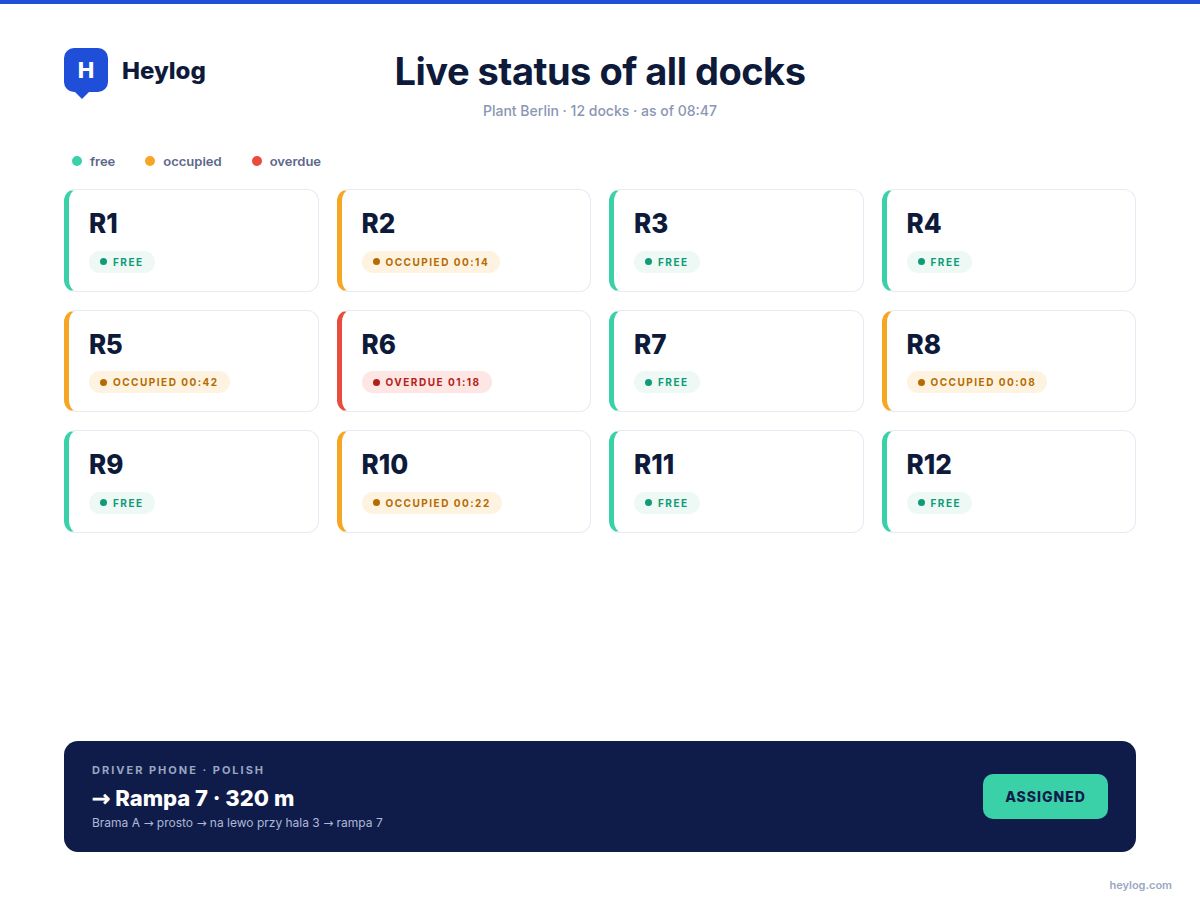
Live status of all docks in a single dashboard
Automatic assignment by rule or manually
Site directions on the driver's mobile
"Dock 7" is no help if the driver doesn't know where Dock 7 is.
In most sites, dock assignment still runs on shouted instructions, radio, or pager. The driver climbs out, asks, walks back, drives off, finds the wrong dock, asks again. Every loop: 5 to 10 minutes. With 25 deliveries a day, that's a full-time headcount producing nothing.
Here's how Heylog does it.
01
Live Dashboard
The dispatcher sees at all times which docks are free, which are occupied, and how long they have been occupied. Colour-coded: green, amber, red.
02
Automatic Assignment
At check-in, the driver receives their dock — assigned by rule (operation type, carrier, load) or manually by the dispatcher.
03
Site Directions
The driver receives directions to the dock on their smartphone — with the site map, in their own language, and photo instructions where needed.
04
Status Updates
The driver confirms "at dock", "unloaded", "departed" with a single tap. The dispatcher sees status in real time.
Your site, digitalised.
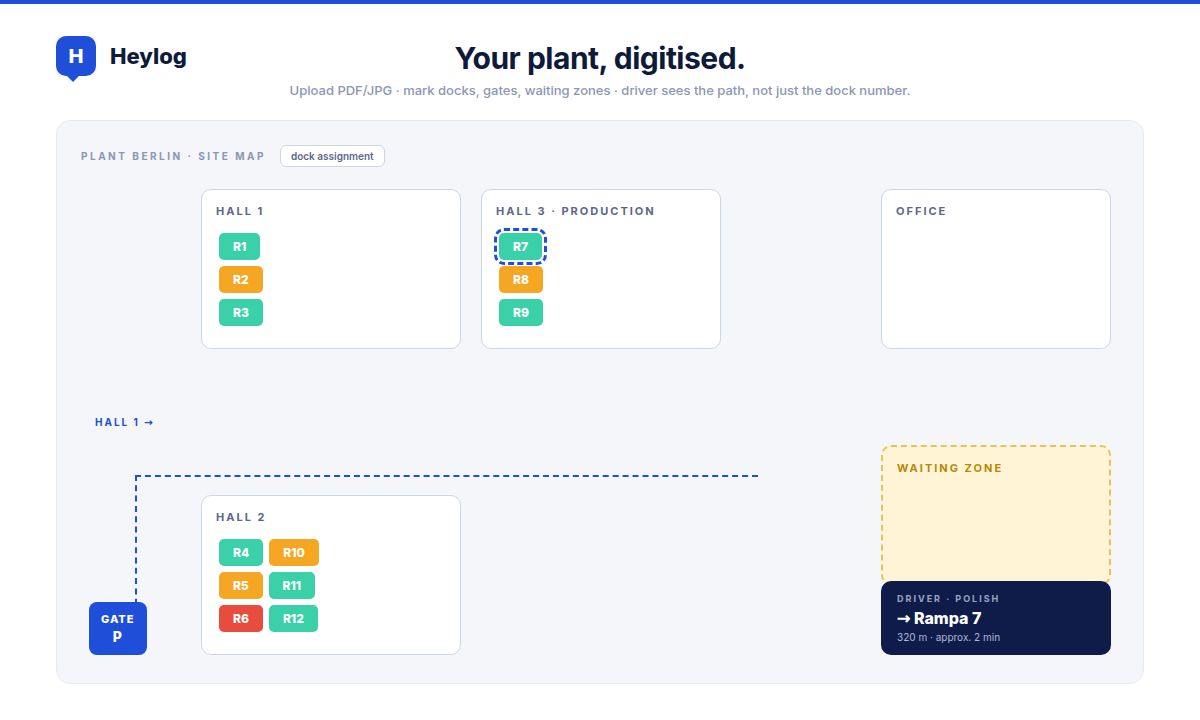
Heylog supports an interactive site map: upload your existing plan (PDF, JPG, or structured via GeoJSON), then mark docks, gates, waiting zones, and restricted areas.
On their mobile, the driver sees not just "Dock 7" but the full route from the gate to the dock — with markers showing where to wait, where to drive, and where not to go.
See dock assignment in action.